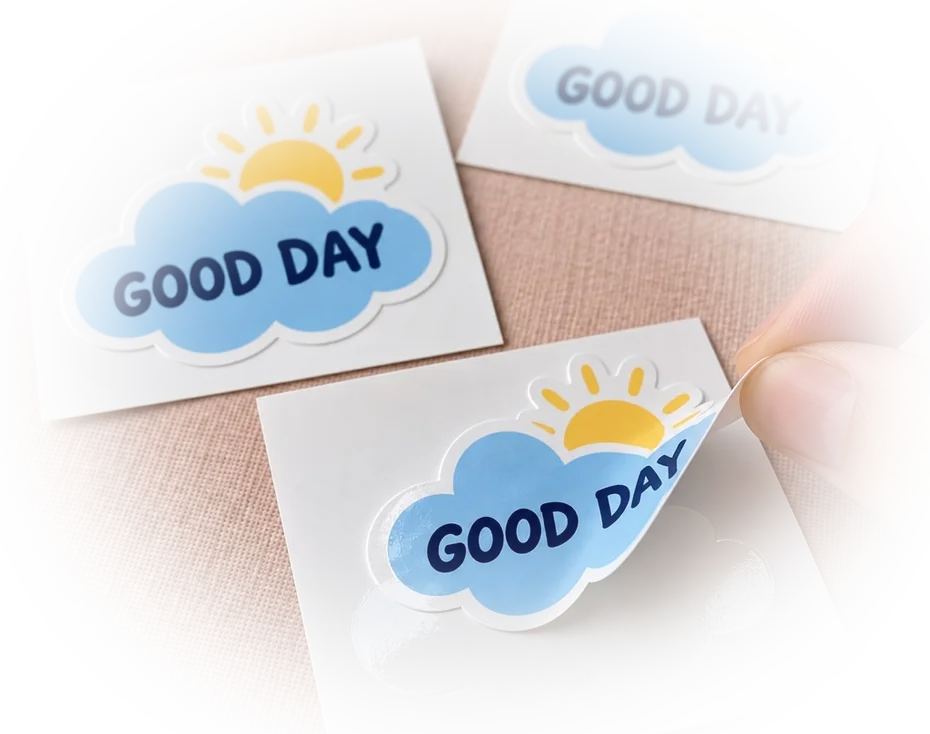
Custom Laptop Stickers
- Ships next day
- Free shipping
- Free proof — pay after you approve
- Upload your art and see the proof in seconds — or upload later and get it by email within 1 business day. You're charged only once you approve it. Changes are free, and you can cancel free any time before you approve.
How it works
- Upload your artOr order now and upload later.
- See your proof in secondsWith the cut line, free. Nothing prints until you say yes.
- We print and cutLaminated vinyl, cut to your shape.
- Ships next dayFree USPS shipping, or faster at checkout.
How to get it right
3 inches is the size that fits a lid
Most laptop lids take two or three stickers at around 3" before it starts to look crowded. Bigger reads as a decal; smaller disappears from across a room. If you are covering a whole lid with one piece, switch to 5" or 6" above and the price follows.
The laminate is the part that matters here
A sticker on a laptop gets shoved into bags and wiped with a sleeve. The clear laminate on top takes that abrasion instead of the ink, which is why the colors are still colors a year later. It is the same material we use on outdoor jobs.
Free proof before anything prints
Upload your artwork and we send a proof showing the exact cut line. Approve it and your order ships the next business day; delivery is 3-5 business days and shipping is free.
Stickers for the lid versus the sides
The lid is the flattest, widest surface on a laptop, which is why most orders land there at 3". The sides and the strip below the screen are narrower and often close to a vent or port, so a 1" or 1.5" die-cut piece fits without blocking airflow or covering a speaker grille. Keep anything near a vent smaller than the gap itself, not larger — a sticker placed across a vent tends to lift at the edge over time. If you're building a layout across lid and sides, order the smaller size as its own line so the price and the die-cut shape match that placement instead of scaling one design down by eye.
Branded laptop stickers for a team
Equipping a team with the same laptop sticker is one design ordered at a size that works across whatever model IT hands out — most 13" and 15" lids are close enough in size that a single 3" die-cut logo fits either one without a redesign. Order enough for the current headcount plus new hires for the next few months rather than restocking every quarter; 100 covers a small team with room to spare, and the exact number is whatever you type into the quantity box. If the design comes in more than one colorway — a light version for dark lids, a dark version for light ones — treat each colorway as its own line so both get the same die-cut outline.
Questions people ask about these
Will it damage the lid?
It is a vinyl sticker with a normal permanent adhesive. It holds well and it comes off — on some finishes removal leaves a little residue that lifts with isopropyl alcohol. If your laptop is leased or under a strict return policy, that is worth knowing before you stick it down.
Can I mix several designs in one order of 50?
Each design is priced as its own line. Add them one at a time and pick a quantity for each — the ladder above shows what each quantity costs.
Matte or glossy on a laptop?
Glossy pops against a dark lid; matte sits closer to the finish of most aluminum and does not catch office lighting. Same material, same price — choose it above.
What's the difference between laptop stickers and laptop decals?
Decal is just another word for the same die-cut, laminated vinyl piece — cut to your artwork's outline rather than left as a square, and sized for wherever it's going: the lid, the deck below the keyboard, or the strip along a side.
Can you print laptop stickers for a whole company order?
Yes. One design at one size, ordered in the quantity your team needs — pick a preset like 100 or 500, or type an exact headcount. Each order gets its own online proof, so what you approve is exactly what ships to everyone on the list.
What should I look for when customizing a laptop sticker?
Match the shape to your artwork instead of a square background — die-cut follows your logo's outline. Pick a size that fits where it's actually going, lid, side, or under the screen, and choose glossy or matte based on the laptop's own finish rather than the design itself.
Will I see a proof before I pay?
Yes, for most files. Upload your design and the proof appears on screen in seconds, with the cut line, at the size and shape you chose - before you pay. If a file needs a designer's eye, we email the proof instead, and changes are free until it is right. Nothing prints until you approve it.
What size sticker fits a laptop lid?
Three inches is the usual pick for one sticker on a 13 to 15-inch lid: big enough to read across a table, small enough to leave the lid looking clean. Go to 2 inches when you want several on the same lid, 4 inches when it is the only one. The calculator takes any size you type.
Will a sticker leave residue on my laptop?
Normally no. The vinyl peels off a laptop lid in one piece: warm it for a few seconds with a hairdryer, lift a corner and pull slowly. Any faint trace wipes off with a drop of rubbing alcohol on a soft cloth.
Can I put stickers on a laptop that gets warm?
Yes. The vinyl and its laminate are made for far more heat than a laptop lid gives off - the same stickers live on car roofs through the summer. Keep the sticker on the lid, away from the vents, and normal use will not loosen it.
Guides for this job
- Sticker size guide — laptop, bottle, bumper sizes in inches
- How to apply a sticker without bubbles — small ones go on dry
Also printed for


- PeelThe backing lifts clean — no tearing
- PlaceLands flat - line it up before you press
- SmoothNo bubbles — press it down and you are done
- StaysLaminated and waterproof. Survives the dishwasher

Super cute, I'm so glad they arrived - now my pony mail will be special!

I freaking LOVE these!!! I will definitely be ordering more from here for my little shop! They got here so quickly and smoothly!

These stickers are so cute and high quality!

I purchased 25 of 11 different sticker designs and each one is fabulous. Vibrant colors, great shapes, printed extremely quickly - received them sooner than expected.

We made these to make like a custom bonbon candy bag for my bach party, they turned out so cute!

Everything about this purchase, customer service experience and shipping was fantastic. I could not be happier and will absolutely order again. Thank you!!!!
Super cute, I'm so glad they arrived - now my pony mail will be special!
I freaking LOVE these!!! I will definitely be ordering more from here for my little shop! They got here so quickly and smoothly!
These stickers are so cute and high quality!
I purchased 25 of 11 different sticker designs and each one is fabulous. Vibrant colors, great shapes, printed extremely quickly - received them sooner than expected.
We made these to make like a custom bonbon candy bag for my bach party, they turned out so cute!
Everything about this purchase, customer service experience and shipping was fantastic. I could not be happier and will absolutely order again. Thank you!!!!